The best Google Stitch alternative for most developers is Superdesign: like Stitch it turns a prompt into UI, but it pulls real, proven patterns from Mobbin, Dribbble, and Behance mid-design so the output has taste, compares variants on an infinite canvas, can clone any live page, and hands back production React and Tailwind from inside your coding agent. Google Stitch is genuinely good and free for first drafts, and its March 2026 update added voice input and an AI-native infinite canvas that helped popularize the "vibe design" label (blog.google). But it still generates from a blank slate, its output is HTML/CSS, and it can't point at your real product. If you mainly need a free mockup you'll finish elsewhere, Stitch is fine. If you need shippable, on-brand UI in your repo, you want a code-first alternative. Below we rank the top 7, fairly, with every claim sourced.
Full transparency: Superdesign is our tool, so we rank it first. We earn that spot with sourced specifics, a clear "stick with Stitch (or v0, Lovable, Bolt) if..." section, and a link to each competitor's own deeper comparison so you can check our work.

What are the best Google Stitch alternatives?
The field splits into three buckets: text-to-UI tools (prompt in, design out), design-to-code tools (turn an existing design into code), and prototype-to-app builders (prompt in, working app out). Most Stitch shoppers want one tool that does both: good-looking design and code they can actually ship. Here are the seven Stitch alternatives worth knowing at a glance, ranked for the developer who needs production UI:
| # | Tool | Best for | Pricing | Standout strength | Main limitation |
|---|---|---|---|---|---|
| 1 | Superdesign | Developers with an existing codebase who want on-brand, shippable UI | Free + flat $20/mo | Pulls real Mobbin/Dribbble/Behance patterns, clones live pages, exports React + Tailwind from your IDE | Built for developers, not a no-code design canvas |
| 2 | v0 by Vercel | React devs who want components fast | Free + usage credits | shadcn + Tailwind component scaffolding, now with Git and a PR workflow (Feb 2026) | Components, not full products; design can look generic (v0 alternative) |
| 3 | Lovable | Greenfield full-stack apps from a prompt | Free + credits | Generates frontend and backend in one shot | Less fine-grained design control (Lovable alternative) |
| 4 | Bolt.new | Spinning up a whole prototype fast | Credit-metered | In-browser full-stack app builder | Not design-first (Bolt alternative) |
| 5 | Uizard (now Miro) | Non-designers who want quick mockups | Free + paid tiers | Beginner-friendly wireframes, screenshot-to-UI | Output looks samey; de-prioritized post-Miro (Uizard alternative) |
| 6 | Figma Make / Figma AI | Teams already living in Figma | Figma plans | AI inside a mature design environment | A design tool, not a code path |
| 7 | Framer AI | Landing and marketing sites | Free + paid tiers | Generates and hosts full sites | Built for sites, no clean code export (Framer alternative) |
If you specifically want design-to-code, Locofy and Anima convert existing designs into front-end code, and Figr is another context-aware design option worth a look. Most of these tools own one bucket. Superdesign is the one that gives you design quality and real code in the same pass, which is why it leads the list. For the full case see v0 vs Superdesign and the best AI UI generator roundup.
How we picked these Google Stitch alternatives
We ranked for the one question Stitch leaves open: how do I get on-brand UI into my repo as code I can actually ship? Five criteria, weighted in roughly this order:
- Shippable code, not just a mockup. Does it output real React and Tailwind (or full app code), or HTML/CSS you rebuild by hand?
- Codebase and brand awareness. Can it design on your real product, an existing design system, tokens, or a live page, or does it start from a blank slate every time?
- Design taste. Does the output look considered, or same-looking "AI slop" prompt to prompt?
- Where it runs. IDE-native (inside Claude Code or Cursor) versus a separate web tool you copy-paste out of.
- Predictable iteration. A flat plan you can iterate on freely versus a daily credit wall with no paid way through.
We left pure design-to-code converters (Locofy, Anima) out of the ranking as a different lane, and we link every Stitch limitation below to a primary source rather than asserting it. Stitch itself stays in the comparison as the baseline, fairly: it has improved a lot in 2026.
Google Stitch vs the best alternatives: how do they compare?
Here's the honest comparison, scoped to the developer question of "what gets me shippable code in my repo." Superdesign is the IDE-native, codebase-aware pick; v0, Lovable, and Bolt each own a different slice. The competitors win real categories, and the table says so.
| What you need | Google Stitch | Superdesign | v0 | Lovable / Bolt |
|---|---|---|---|---|
| Production code output | HTML/CSS only, no React | React, Tailwind, CSS | React (shadcn/Tailwind) | Full app code |
| Runs inside your IDE (Cursor, Claude Code) | No, separate web tool | Yes, via coding-agent skill | No, web then copy-paste | No, browser environment |
| Reads your existing codebase + tokens | No | Yes | No | Partial |
| Parallel variants on a canvas | Prototypes, not variants | Yes, side by side | No | No |
| Clone a live page to design on | No | Yes | No | No |
| Iteration limits | Daily credit cap, no way to buy more | Free + flat $20/mo | Free + paid tiers | Credit-metered |
| Best at | Free first drafts, ideation | Code in an existing repo | React component scaffolding | Greenfield apps from scratch |
For deeper one-to-one breakdowns, see v0 vs Superdesign, Lovable vs Superdesign, and Bolt vs Superdesign. For the full field with verified screenshots, the best AI UI generator roundup covers all of them.
This guide is fair to Stitch (it has improved a lot in 2026) and honest about where it leaves developers stuck. Every con below is linked to a primary source. We also compiled a full Google Stitch review from real user opinions if you want the sentiment picture first.
What is the best Google Stitch alternative for developers who need production code?
For developers who need production code, Superdesign is the best Google Stitch alternative because it designs with taste (pulling proven patterns from Mobbin, Dribbble, and Behance mid-design instead of guessing from a blank slate), explores and compares variants side by side on an infinite canvas, can clone any live page to design on your real product, and hands back real React, Tailwind, and CSS you can drop into your project. Stitch gives you a generic-looking design as HTML/CSS; a code-first alternative gives you on-brand UI as implementation.
The honest framing matters here. Stitch is not a bad product. It's a strong, free first-draft and ideation tool that Google keeps improving: it runs on Gemini 3, and its March 18, 2026 update added voice input ("speak directly to your canvas"), an AI-native infinite canvas, and an experimental Prototypes feature with clickable multi-screen flows, all under the "vibe design" banner Stitch did a lot to popularize (blog.google, Mar 2026). Google also folded the Galileo AI team into Stitch after acqui-hiring them in early 2025: usegalileo.ai now redirects straight to stitch.withgoogle.com, so if you came looking for what replaced Galileo, this is where its work continued, and a design-quality successor is exactly what the old Galileo crowd is after. The old "it's purely static mockups" critique you'll read in older listicles is now partly outdated.
The durable gap is a difference of jobs. Because Stitch generates from a blank slate, the result tends to look the same prompt to prompt, and the developer who searches for an alternative usually already pasted a Stitch screen into Claude Code or Cursor to make it real, and felt the handoff tax. That handoff is where the taste leaks out: the coding agent you paste into is graded on "does it run," not "is it considered," so the rebuild drifts back toward generic. That gap between a coding agent and a design agent is the whole game, and we unpack it in design agent vs coding agent.
How do you get a Stitch alternative that doesn't produce generic "AI slop"?
This is the gap that bites first. A LogRocket reviewer found Stitch's output generic and same-looking across prompts (LogRocket, Sep 2025), which is what you'd expect from any tool that starts from a blank slate every time. You get a clean layout, but it's the same clean layout everyone else gets.
To make this concrete, here is the same one-line brief run through both tools.
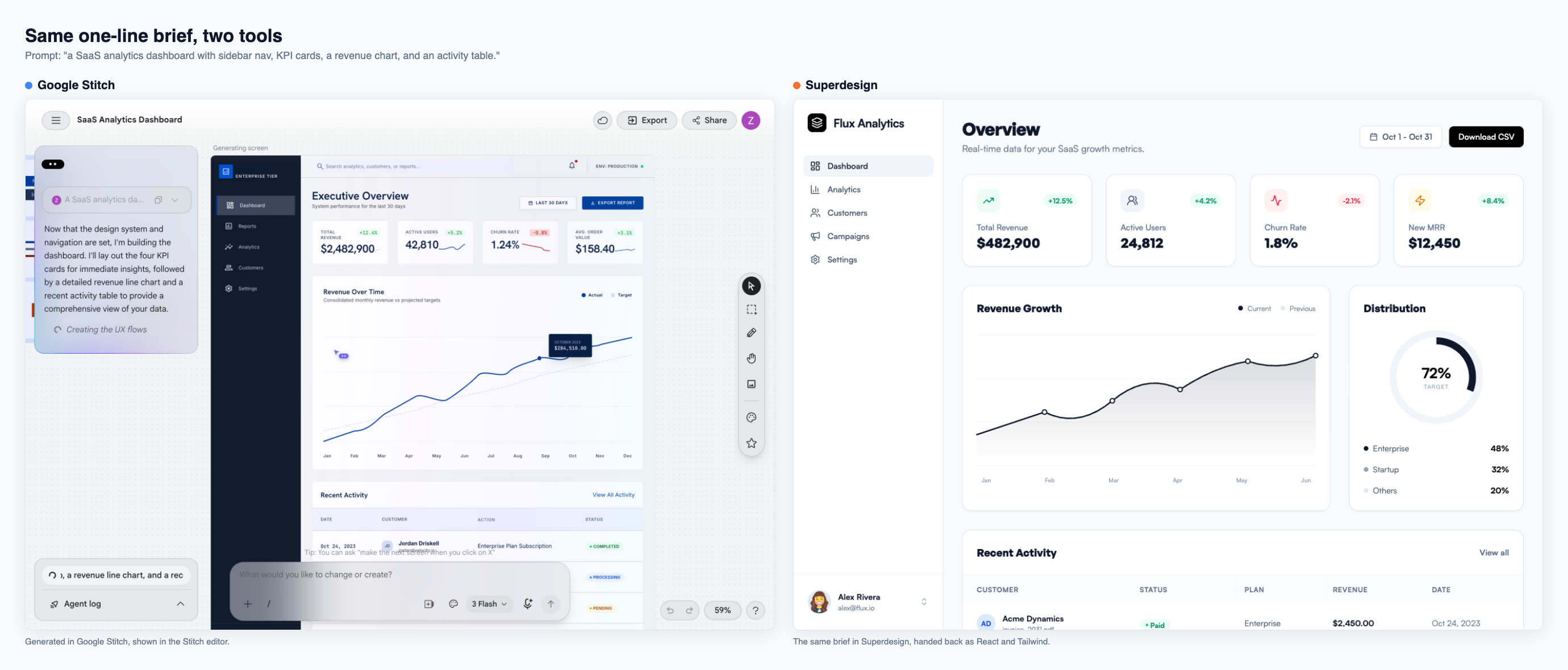
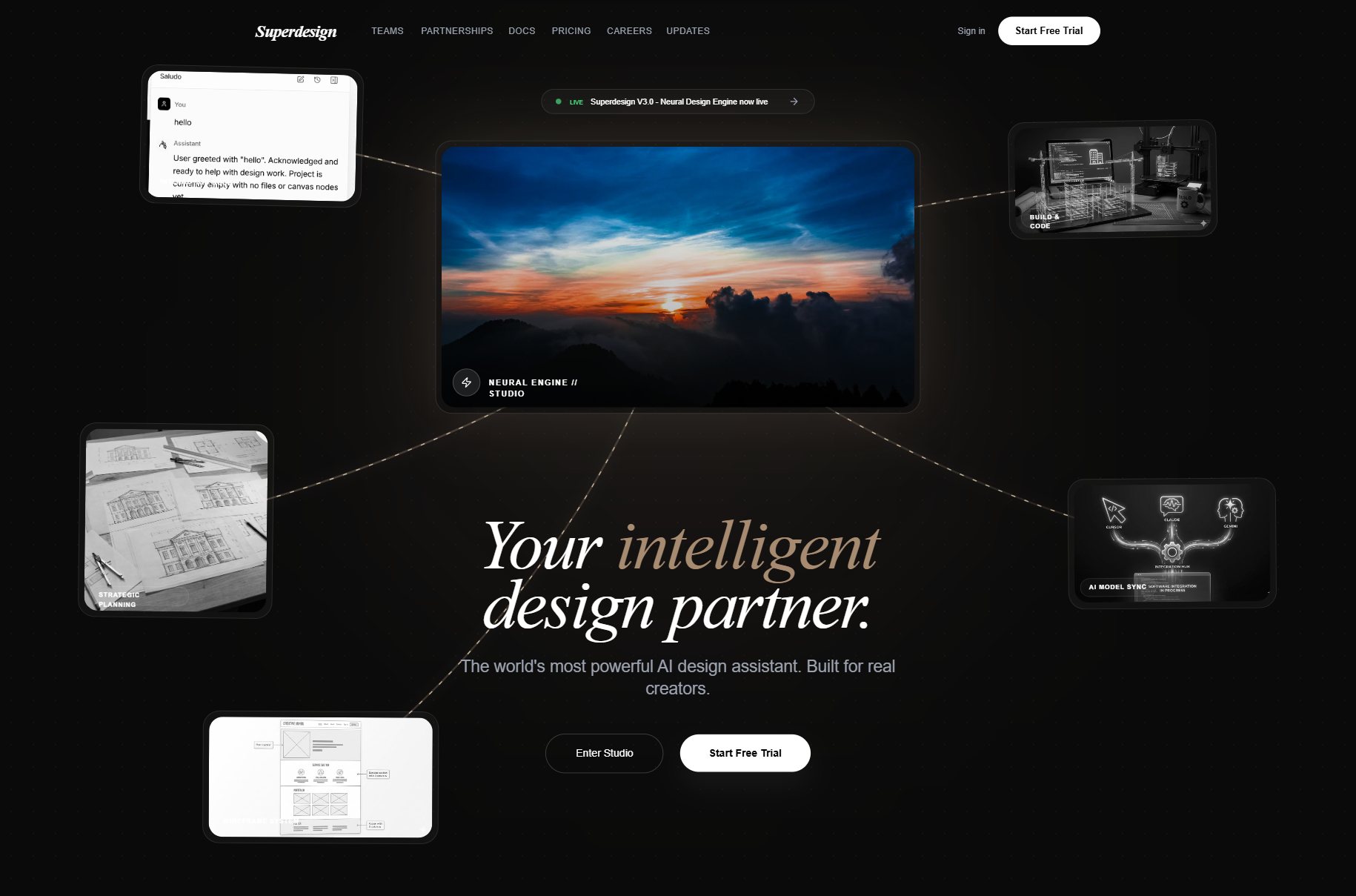
Superdesign attacks this with an in-workflow inspiration feed: mid-design, the agent pulls real, proven patterns from Mobbin (a partner), Dribbble, and Behance, so the output has actual taste instead of generic gradients. You're not prompting into a void and hoping for good defaults, you're remixing patterns that already work in shipped products. The premise is that AI produces slop from lack of context and guidance, not lack of capability, so feeding it real references is the fix.
And because everything happens on an infinite canvas, you can generate several directions at once and compare them side by side, then keep the one with the best taste. Stitch's prototypes let you click through one design; a compare surface lets you actually pick between many.
Does Google Stitch export React code, or just HTML/CSS?
Google Stitch exports HTML/CSS, not React. As of NxCode's 2026 head-to-head, React export was "coming but not here yet," and Stitch has no backend, no database, no auth, no deploy pipeline, and no GitHub integration (NxCode, 2026). It generates a good-looking design and leaves you to build the production code.
Even the code it does give you is a starting point, not a shipping path. In Moda's April 2026 review, the exported code is described as "not production code you'd ship without review," a structured starting point at best (Moda, Apr 2026). That's the core reason a React-stack developer needs an alternative: you don't want a design to translate, you want components that already match your stack.
Can a Stitch alternative design on your real product, not from scratch?
Stitch can't. There's no way to upload or enforce a design system or brand kit, so every generation re-specifies your preferences from scratch with no awareness of your real product (Moda, Apr 2026). That "starts from zero every time" gap is exactly what a context-aware alternative closes, and it's the deeper argument we make in the best AI UI generator pillar.
Superdesign's answer is to point the agent at reality. You can clone any live page, your own production app or a site whose style you admire, and it extracts the styles, colors, and components so you're designing on your actual product instead of a blank canvas. Run it as a skill from your coding agent and it goes further, learning your project and writing a design-system file before it generates, so new screens fit what you already have. That design-system file is the practical analog of DESIGN.md, which we unpack in What is DESIGN.md?.
What are Google Stitch's generation limits, and can you pay for more?
Stitch runs on a daily credit cap that resets at midnight UTC, and there is still no way to pay for more. No Stitch paid plan exists (Google One's AI credits cover Flow and Antigravity, not Stitch), and as recently as March 2026 Google staff on the official dev forum said only that they are "tracking requests regarding quota limits," with no timeline (Google AI dev forum, Mar 2026). The daily allowance is generous enough for casual drafting, and third-party counts vary (reports range from a 150-per-day page cap to roughly 400 design credits plus 15 redesign credits, charged by complexity), but the structural point holds: when you're deep in a build and burning through prompts, hitting the cap with no paid escape hatch stops you cold until midnight UTC.
Superdesign has a free tier plus a flat $20/month Pro plan, so the question is "what do I want to design today," not "do I have generations left this month." The full metered-vs-predictable argument lives in the best AI UI generator pillar.
Why does "Copy to Figma" break layouts in Google Stitch?
The "Copy to Figma" path breaks because complex layouts don't survive the export. On Google's own developer forum, users report hero sections breaking into misaligned, overlapping text with distorted spacing after pasting, repeatedly across designs (Google AI dev forum, Mar 2026). Code export and "Copy to Figma" have also shown "Coming soon" and "Could not copy the design" failures that recurred for some users for months even after Google said it was fixed (Google AI dev forum, Sep 2025).
Listicles tend to gloss this as "exports to Figma" and move on. For a developer, the broken export is the whole point: the handoff is exactly where the value is supposed to be, and that's where Stitch is least reliable. The same LogRocket reviewer also flagged accessibility gaps (color contrast, touch targets) and static, non-responsive layouts that need manual breakpoint work (LogRocket, Sep 2025). That review predates Stitch's prototype and 2.0 updates, so treat the "static" parts as partly outdated, but the accessibility notes still land.
Is Google Stitch production-ready, or just for mockups?
Stitch is a strong first-draft and ideation tool, not a production pipeline. It's an experimental Google Labs product with no SLA, no guaranteed uptime, and no long-term maintenance commitment, and Google has a history of sunsetting Labs products (Moda, Apr 2026). It now does clickable prototypes and a voice-driven infinite canvas, which are genuinely useful for ideation, but you're building a real workflow on an experiment.
That Labs status is a risk no developer-focused alternatives page mentions. If Stitch is one step in your shipping process and it goes dark or rate-limits you mid-sprint, you have a problem. A tool you build a production workflow on should be one you can rely on month to month.
Is there a free Google Stitch alternative?
Yes, several. Stitch itself is free (with the daily caps above), and a few alternatives have free tiers, including Superdesign, which adds a flat $20/month Pro plan on top. v0 has a free tier for React component scaffolding. The practical difference isn't "free vs paid," it's metered vs predictable: Stitch's free plan hits a hard daily wall with no way to pay through it, while a flat plan lets you iterate without rationing.
If "free and fast for a first draft" is genuinely all you need, Stitch is a fine choice, and so is generating a starting point from our prompt library and refining it in the canvas. The free-tier question only becomes a problem when you're iterating hard or shipping real code.
When should you stick with Stitch (or v0, Lovable, or Bolt)?
Stick with Stitch when you want a free, fast, good-looking first draft and you don't need React in your repo. It's excellent for ideation, voice-to-design, and exploring directions. Choose v0 when you mainly want React component scaffolding around shadcn/ui and you're fine with copy-paste. Choose Lovable or Bolt when you're spinning up a brand-new full-stack app from scratch and want the whole thing generated, frontend, backend, and routing, in one shot.
The clear case for a code-first, IDE-native tool is the opposite of greenfield: you have an existing codebase, an established design system, and you want new UI that matches it, generated where you already work. That's the gap Stitch's design-only output and missing codebase awareness leave open, and it's exactly the developer with an existing codebase and a design system to match.
How do you move from Stitch to a code-first workflow?
If you've been pasting Stitch designs into your coding agent and want to skip the rebuild, here's the developer path with Superdesign:
- Install the skill in your coding agent:
npm install -g @superdesign/cli@latest, thensuperdesign login, thennpx skills add superdesigndev/superdesign-skilland pick your agent (Claude Code, Cursor, or any coding agent). - In your existing project, run the
/superdesignslash command with a plain-English request, like "redesign the settings page and add a billing section." - Superdesign learns your codebase first, writes a design-system file and HTML replicas of your real pages, then opens the canvas and explores several variations at once.
- Pick a direction, keep prompting to refine, then hand it back to code: copy the full design prompt into your agent, or have the agent fetch the design and plan the implementation.
The whole loop stays in your IDE, and the output is React and Tailwind, not a mockup you re-implement. If you want to see the canvas and parallel-exploration model first, the best AI UI generator post and the Cursor for design guide both walk through it, and if you just want tested starting points to paste in, our UI design prompts library collects the ones that hold up. Curious where "vibe design" came from and what it actually means for developers? We unpack it in What is vibe design?.