If you're searching for a Uizard alternative and you're a developer, the honest version of your question is probably: "I don't want a mockup I have to rebuild, I want code that fits my repo." The short answer: for that job the best Uizard alternative is Superdesign, a design agent that outputs production React and Tailwind and reads your existing repo; if you just need quick mockups, Visily or Google Stitch are the closer like-for-likes. Uizard is genuinely good at what it's for: turning a prompt or a screenshot into a clickable wireframe for people who don't design. It "democratizes UI design," in its own words. But it hands you a picture, not a codebase. Its developer handoff exports React and CSS component by component on the paid plan, the output is widely called generic, and it has zero awareness of your existing code or design system because it's a standalone browser canvas.
So this page is split honestly. If you're a non-designer or PM who needs a fast clickable mockup, Uizard might be exactly right, and I'll say so. If you're a developer or indie hacker who already has a repo and wants shippable code, this is why Uizard was never built for you and what to use instead: a design agent that outputs real React and Tailwind and reads the codebase you already have.

What is the best Uizard alternative in 2026?
It depends on whether you want a mockup or code. For non-designers who need a quick clickable wireframe or a screenshot turned into an editable UI, the closest like-for-like alternatives are Visily and Google Stitch, both free-leaning and designer-friendly. For developers shipping app UI into a real codebase, the best alternative isn't a mockup tool at all: it's Superdesign, an AI design agent that outputs production React and Tailwind you own and runs inside your coding agent with full context of your repo.
The reason there's no single "best" is that the Uizard-alternative SERP quietly mixes two jobs. Most ranking pages are self-published vendor listicles (Banani ranks Banani first, Flowstep ranks Flowstep first, AIDesigner ranks AIDesigner first), and almost all of them stay designer-first. Not one cleanly answers the developer's actual question: can it read my existing repo and match my components? That gap is the whole point of this page.
What is Uizard actually good at?
Uizard is genuinely good at getting a non-designer from idea to a clickable mockup fast. Its core strengths are a low learning curve, a handy screenshot-to-design feature (scan a sketch or a competitor's screen into an editable UI), quick first-draft generation, and a cheap entry point at $12/month on Pro billed annually. For a PM who needs to communicate an idea to stakeholders without design skills, that's real value, and reviewers say so.
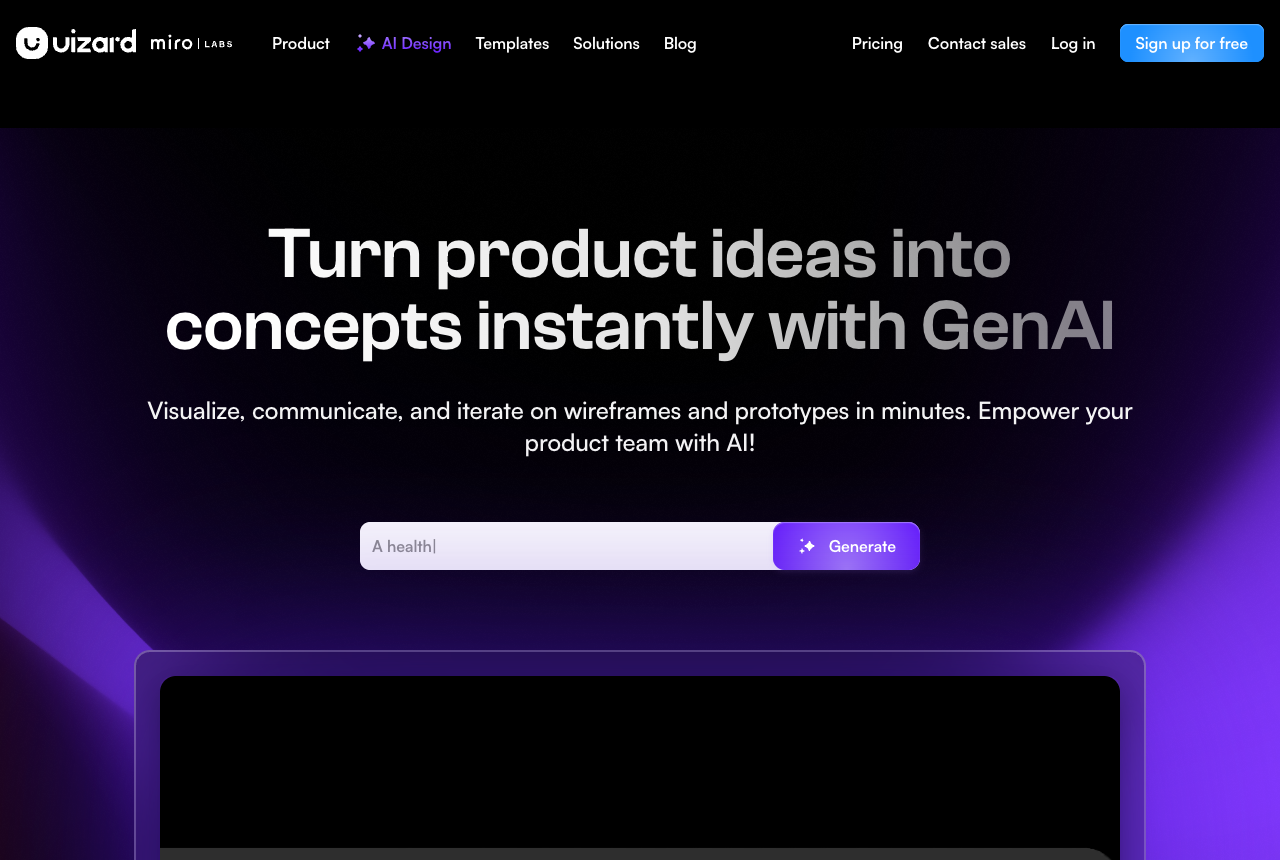
The toools.design directory (March 2026) calls Uizard great for non-designers and PMs, with screenshot-to-design useful for competitive analysis, while noting it's "less suited for designers who need pixel-perfect control." That's a fair read. Uizard chose accessibility over sophistication on purpose. The trouble starts when your goal isn't a concept to show someone, but code you can ship.
Does Uizard generate production-ready code?
No, not really. Uizard is a mockup tool, and its developer handoff exports React and CSS component by component, on the Pro plan only, not whole screens you can drop into an app. Reviewers consistently describe the code as a starting point you rebuild rather than something production-ready. The Looppanel review puts it plainly: the code export is "a starting point, not a finished product. You'll likely need to tweak it," and the Auto-Designer's full-page output "isn't close to usable (yet)." So today you stitch components back together yourself.
The handoff being component by component is the structural catch for developers. Flowstep's teardown flags exactly this: code is "exported component by component, not whole screens," alongside messy SVG export. So even on the paid plan, "Uizard exports React" doesn't mean "Uizard builds your screen." It means you get fragments, in CSS not Tailwind, with no TypeScript, that you reassemble and wire up by hand. For a non-designer handing a developer a reference, fine. For the developer, that's the work you were trying to skip.
Why does Uizard's AI output feel generic or repetitive?
Because multiple reviewers report the AI returns near-identical layouts with only minor changes, and sometimes misreads the prompt entirely. This is the single most common quality complaint. A Product Hunt reviewer described "the same design being shown to me repeatedly, with only minor modifications to color and order," and a request for an "admin dashboard for an ecommerce website" producing pages that were "completely irrelevant," with attempts to edit a design that "just breaks everything and makes some ugly output."
This matters more than it sounds. If your AI tool gives you one generic direction and small recolors of it, you don't get to explore, you get to pick from variations of the same thing. The root cause is context: a blank-slate generator has no sense of what good looks like, so it falls back on the same safe gradients every time.
This is the single biggest reason to reach for Superdesign here. Mid-design, its agent pulls real, proven patterns from Mobbin (a partner), Dribbble, and Behance on demand, so the output starts from taste instead of generic AI slop. You're not coaxing one model toward "make it less bland" prompt after prompt, you're designing against a feed of patterns that already work, then exploring several genuinely different directions side by side on the canvas so you can compare and steer. That inspiration feed plus parallel exploration is exactly what Uizard's one-shot, recolor-the-same-thing loop can't do, and it's why Superdesign output doesn't all look the same. More on the canvas below.
Why is Uizard's free plan only 3 generations a month?
Yes, Uizard's free plan caps you at 3 AI generations per month, plus 2 projects and a handful of screens, which is the single most-mocked fact about the tool. The toools.design review calls the 3-generation free tier too small to even evaluate the product properly, and it's the reason cited across nearly every alternatives list for why people go looking in the first place. Pro lifts you to 500 generations per month at $12/month billed annually, but you're still counting.
Three free generations isn't enough to form an opinion, and 500 on Pro still has a ceiling you watch. We make the full case against metered design tools in the best AI UI generator guide; for Uizard the tell is that you're counting before you've even decided if you like the output.
The counter-model isn't just a flatter plan, it's free where it teaches you to design. Superdesign runs one of the largest free community prompt libraries, covering styles, animations, and components, and it works with any coding agent. Instead of spending 3 of your 3 free generations guessing at a prompt, you start from a proven one. The premise is that AI outputs slop from a lack of context and guidance, not capability, so handing you a library of patterns that already work is worth more than another metered generation.
Can an AI design tool work with my existing codebase and design system?
This is the question no Uizard-alternative page answers, and it's the one that matters most for developers. Uizard cannot, because it's a standalone browser canvas with no connection to your code. It doesn't know your components, your tokens, or that your repo exists. Whatever it generates lands in its own canvas and you translate it into your real app by hand. Every mockup-first alternative shares this limitation.
The structural alternative is a design agent that reads your codebase. Superdesign runs as a skill inside your coding agent, so when you point it at an existing project it investigates your current UI first and builds a design-system file plus HTML replicas of your real pages, so new designs build on what you've already shipped. We cover why codebase awareness is the dividing line across the whole category in our best AI UI generator guide; the short version for Uizard is that a browser-only mockup tool can never have it.
Uizard vs Superdesign: the axes that actually matter
Most comparison tables stack mockup tools against each other on features like prototyping and templates. Here's a table on the axes the SERP ignores: mockup or production code, does it know your codebase, does it live in your IDE, and how does it price.
| Uizard | Superdesign | |
|---|---|---|
| Output | Mockups, clickable wireframes | Production React + Tailwind you own |
| Code handoff | React + CSS, component by component (Pro only) | Whole flows as real code in your repo |
| Reads your codebase | No, standalone browser canvas | Yes (design-system file + page replicas) |
| IDE-native | No, browser only | Yes, runs in Claude Code / Cursor |
| Built for | Non-designers, PMs | Developers, indie hackers, designers |
| Exploration | Often repetitive, minor recolors | Several distinct variants side by side |
| Design taste | Blank-slate, samey output | Inspiration feed: real patterns from Mobbin, Dribbble, Behance |
| Free tier | 3 AI generations / month | Free tier you can actually evaluate on |
| Pricing | $12/mo Pro, capped at 500 gen/mo | Flat $20/mo Pro, predictable |
The honest read: if you're a non-designer who wants a quick clickable mockup and a cheap entry point, Uizard wins on price and learning curve, and its screenshot-to-design is handy. Superdesign wins the moment the goal is shippable code inside an existing repo, and if a mockup is genuinely all you need today, its browser AI mockup generator covers that step too, with code waiting when you outgrow the picture. They aren't competing for the same job, and most listicles never say that out loud.
What's the best Uizard alternative for developers?
For developers, the best Uizard alternative is Superdesign, because it solves the three things Uizard structurally can't: it outputs production code instead of mockups, it reads your existing codebase, and it explores several real directions at once instead of recoloring one. Superdesign is an AI design agent that generates UI from natural-language prompts on an infinite canvas and outputs production React, Tailwind, and CSS, not design files you rebuild.
The bigger difference is where it runs. Superdesign works as a skill inside your coding agent (Claude Code, Cursor, or any agent), so you design without leaving your repo and the design comes back as code in one place. Uizard is browser-only, a separate place you context-switch into, with no link to your project.
In practice the loop looks like this:
- It learns your project first. On an existing codebase it reads your current UI and builds a design-system file plus HTML replicas of your real pages, so output matches what you've already shipped.
- It explores several directions at once. The agent opens the Superdesign canvas and generates multiple distinct variations side by side (the demo shows four), so you compare and steer instead of recoloring one generic layout.
- It designs whole multi-page flows, and the result is clickable and functional, not a static mockup.
- It hands back to code cleanly. Select a page and hit "Copy design prompt" to paste full context into your coding agent, or ask the agent to fetch the design and plan the implementation. The code is yours.
That side-by-side exploration directly answers the "everything looks the same" complaint people have about Uizard:
You can drive the whole thing with one slash command after a one-time install:
npm install -g @superdesign/cli@latest
superdesign login
npx skills add superdesigndev/superdesign-skill
Then trigger it with /superdesign and a plain-English request like "redesign the settings page to match our app." Pricing is a free tier you can actually evaluate on, plus a flat $20/month Pro plan, predictable on purpose, versus Uizard's 3-generation free tier and metered 500-cap Pro. If you want the full picture, our best AI UI generator guide ranks it against the other code-first tools, and Cursor for design covers the IDE-native workflow in depth. There's also a tutorial:
Should you just stay on Uizard if you're a non-designer?
Honestly, maybe. If you're a non-designer or PM whose job is to communicate an idea, sketch a flow, or turn a screenshot into an editable concept, Uizard is built for exactly that and does it cheaply. The code-export and codebase-awareness limitations only bite when your goal is shippable code in a real repo. If that's not you, switching probably isn't worth the friction.
Where it makes sense to look elsewhere even as a non-developer: the 3-generation free tier is too small to evaluate seriously, the AI output feels too repetitive for your needs, or you've hit billing friction (one Product Hunt reviewer reported being "wrongfully charging me for more than 7 months," and another said the "support team is basically non-existent"). In those cases, free-leaning designer tools like Visily or Google Stitch are worth a look. The point of this page isn't "leave Uizard," it's "use the tool that matches the job you actually have."
How do you choose the right Uizard alternative?
Start by naming who you are and what you need, because that single answer routes you to the right tool.
You're a non-designer who needs a quick mockup
Uizard is fine, or try Visily or Google Stitch for a more generous free tier. These are mockup and wireframe tools built for people without design skills. This is the lane Uizard is genuinely good in.
You're a developer shipping app UI into a real codebase
Use Superdesign. It outputs React and Tailwind you own, reads your existing design system, explores variants in parallel, and runs inside your coding agent so you never leave the repo. This is the job Uizard was never designed for. To see how it stacks up against the code-first crowd, see v0 vs Superdesign, Lovable vs Superdesign, and Bolt vs Superdesign.
You want to start from a wireframe before committing to code
That's a clean fit too. Superdesign can take a plain-English prompt to a structured wireframe and then to real code, which our AI wireframe generator guide walks through.
You can also browse the Superdesign prompt library to see the kinds of UI it generates from a single prompt, dashboards, components, and full flows, the production work Uizard's canvas was never built to hand you as code. It's free and works with any agent, so it doubles as a way to skip the "I don't know how to prompt design" problem that makes blank-slate tools feel generic in the first place.
The short version
If you're a non-designer who needs a fast clickable mockup, Uizard is a fair pick and cheap at $12/month, and you may not need an alternative at all. But if you're a developer, Uizard is the wrong category: it gives you mockups, its code handoff is component by component on the paid plan only, the output is widely called generic, the free tier is a mocked 3 generations a month, and it has zero awareness of your codebase. Superdesign is the developer-native answer: production React and Tailwind you own, codebase-aware, parallel variants on the canvas, running right inside your coding agent, on a flat plan you don't have to ration. Pick the tool that matches the job, not the listicle.