Vibe design means describing the UI you want in plain language and letting an AI design agent generate and iterate it on a canvas, instead of pushing pixels by hand. It's the design-layer counterpart to vibe coding: same intent-first idea, different output. Vibe coding writes the code that makes a product work; vibe design shapes how it looks and feels.
This guide covers what vibe design actually is, how it differs from vibe coding, why it needs a design agent rather than a coding agent, where it breaks today, and the one question every developer asks that the rest of the internet skips: can it produce something you can ship?
Part of our design agent vs coding agent series on why designing a considered UI is a different job than writing code.

What is vibe design?
Vibe design is a workflow where the primary input is intent expressed in natural language, and manual editing is the exception rather than the default. You tell the tool "a dark analytics dashboard with a sidebar, an MRR chart, and a recent-customers table," and it generates a styled, complete UI in seconds (you can run exactly that prompt in Superdesign's AI dashboard builder). You refine with more words ("make the chart bigger," "use cards for the table") instead of dragging rectangles. As IMG.LY puts it, vibe design is "a creative workflow in which the primary input is intent rather than manual manipulation."
The shift is one of role, not just speed. Instead of being the carpenter cutting every plank, you're the architect describing the building. You still own the vision, the taste, and the final call. The AI handles the mechanical execution: the grid, the spacing tokens, the component scaffolding, the first pass at a color system. That's the part that used to eat hours in Figma before you'd even seen a single real layout.
Where did the term "vibe design" come from?
The term descends directly from "vibe coding," which Andrej Karpathy coined in February 2025 to describe building software by describing intent and letting AI handle the implementation.
"There's a new kind of coding I call 'vibe coding', where you fully give in to the vibes, embrace exponentials, and forget that the code even exists."
Andrej Karpathy, February 2025
"Vibe design" is the natural extension of that idea to the visual layer. The logic was obvious: if AI can write code from a description, it can lay out an interface from one too. So vibe design is less a single feature and more a movement: a whole wave of prompt-to-UI tools that made describing an interface in plain language the default input.
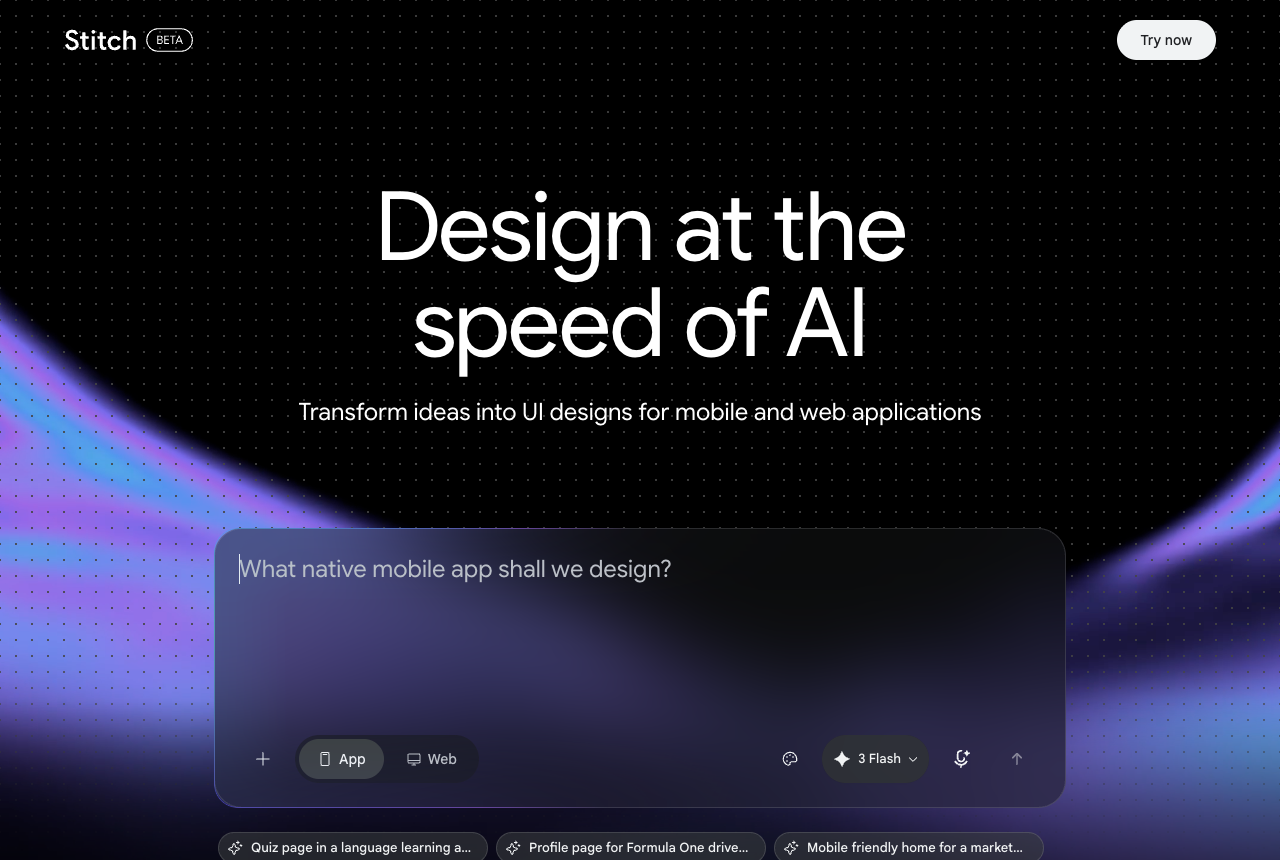
Google Stitch is the tool that popularized the label, and its March 2026 update leaned all the way in, adding voice control and an AI-native infinite canvas on a generous free tier. The movement is broader than any one tool, though. v0 by Vercel added a Git workflow and a VS Code-style editor in February 2026 and is known for the cleanest shadcn and Next.js code. Lovable goes the most end-to-end, building a full-stack app from a conversation. Bolt runs an entire dev environment in the browser through its WebContainer tech. Different bets, same intent-first premise. The term stuck because it names something people were already doing once the tools got good enough.
What's the difference between vibe design and vibe coding?
The short version: vibe design generates the visual layer (how a UI looks and feels), and vibe coding generates the functional layer (working code that does something). Same intent-first philosophy, two different outputs. As payan.design frames it memorably: if it looks wrong, that's a design problem; if it doesn't work, that's a code problem.
Here's the clean breakdown:
| Vibe design | Vibe coding | |
|---|---|---|
| Input | Natural-language intent about look and feel | Natural-language intent about behavior |
| Output | A UI: layout, visual hierarchy, styling | Working code: logic, state, data, APIs |
| Editing model | Re-prompt, sometimes drag-edit the canvas | Re-prompt, edit code, run and debug |
| Who it's for | Designers, PMs, founders, developers | Developers, indie hackers, founders |
| Success looks like | "That looks right" | "That works" |
| Where it breaks | Generic output, broken design-to-code handoff | Subtle bugs, security gaps, debugging loops |
The two are complementary, not competing. A common pattern people describe is a vibe-designed mockup becoming the brief for a vibe-coded build. The catch, which we'll get to, is that the handoff between those two steps is exactly where most tools fall apart today.
Why it needs a design agent
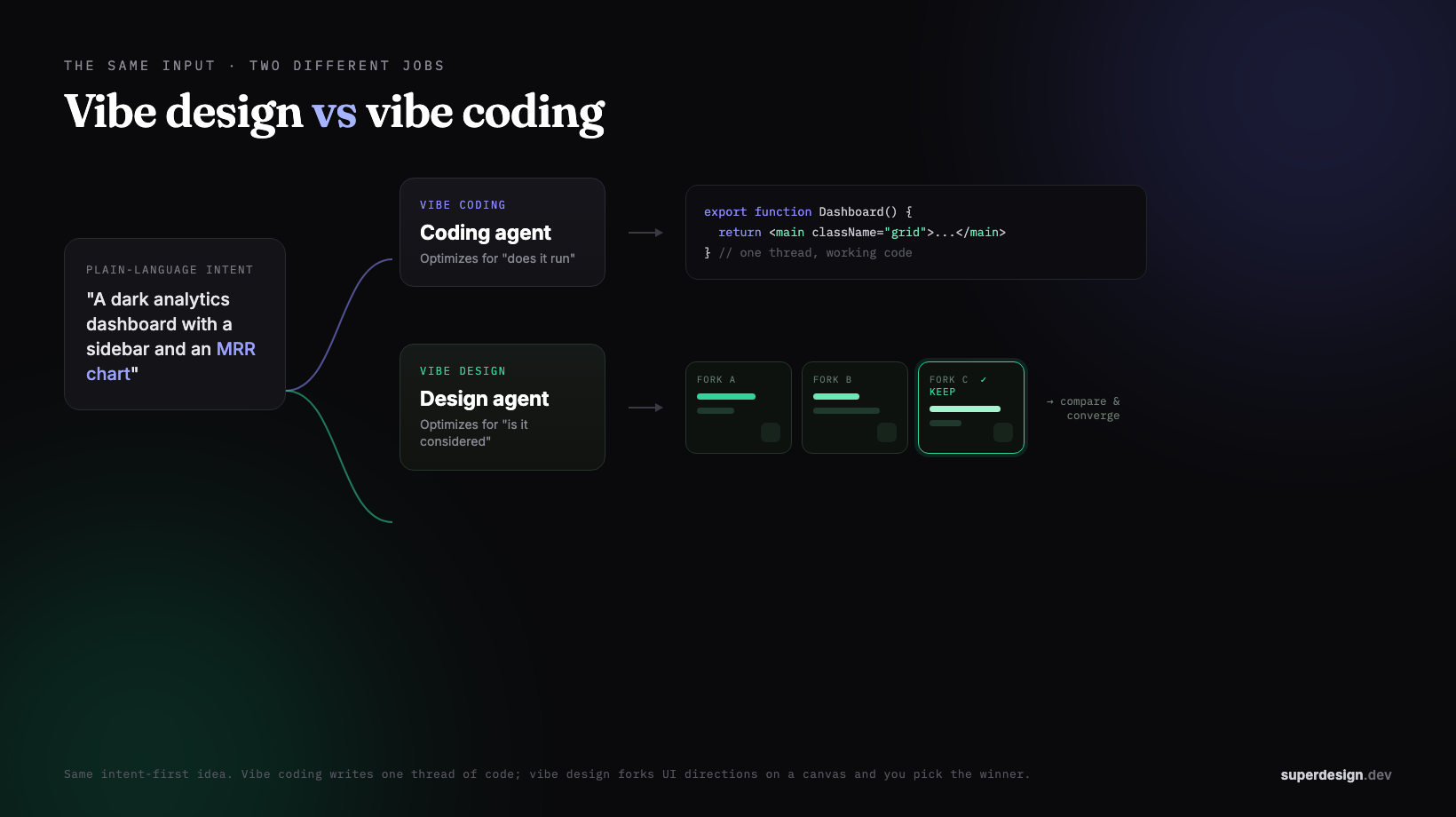
Vibe design only works well when a design agent drives it, not a coding agent. A coding agent optimizes for "does it run," so it reaches for the safe, standard layout that's easiest to implement, and the output converges on the same generic look. Design wants the opposite: several divergent directions you fork and compare, the way you would in Figma, then keep the best one. That branch-and-compare pattern is wrong for code (parallel agents collide and lose each other's context) but perfect for design, where you actually want variety. That's the whole design agent vs coding agent argument, and it's why the tools that nail vibe design treat exploring many directions as the default, not an add-on.
What does vibe design actually look like?
In practice, vibe design replaces a multi-hour manual sequence with a short prompt-and-iterate loop. The traditional path is: open Figma, set up a grid, pick fonts and a palette, draw a sidebar, build a table component, align everything pixel by pixel, add shadows and states, then export and hand off. The vibe path is: describe the screen, review what the AI generated, refine with a couple of follow-up prompts, then take it forward.
The real unlock isn't just speed, it's parallel exploration. Because generating a variant is nearly free, you stop committing to your first idea. You ask for three color directions or five layouts at once, compare them, and pick the best instead of slowly iterating on one guess. That's a different way of designing, and it's the part that's genuinely new. (If you want to feel it without typing a brief from scratch, our prompt library is a good place to grab a starting prompt.)
This is the line that separates a true vibe-design agent from a chat box that returns one screen at a time. Most prompt-to-UI tools are linear: one thread, one guess, then you re-prompt and lose the previous version. Superdesign is built around the opposite idea, what it calls tree-search design: fork multiple directions at once on an infinite canvas, carry context forward down each branch, and generate whole multi-screen flows side by side instead of nudging a single thread. The shift from "type, wait, judge, repeat" to "fork, compare, converge" is the part of vibe design that actually feels new, and it only works when the tool treats exploration as the default rather than an afterthought.
Can vibe design produce production-ready code, or just mockups?
For most vibe design tools today, the honest answer is mockups, not shippable code, and this is the gap nobody in the current crop of explainers wants to sit with. The dominant tools treat the output as a starting point that dies in Figma or gets handed off to someone else to rebuild. Google Stitch is the clearest example: reviewers note its exported code "is not production code you'd ship without review," and at points its code section has literally shown "Coming soon" while the Figma export erred out.
That handoff is the weak point, and it's worse than "not production code." When you do try to move a Stitch design out, the Copy to Figma step breaks hero and section layouts, with elements misaligned and text overlapping images. So you spend the time you supposedly saved reconciling a broken export by hand. A vibe-designed mockup that can't cross the bridge to code intact isn't really finished, it's a nice-looking brief.
This is the third category most pages miss: vibe design that outputs real code and keeps design and build in one place. Superdesign sits here. It's an AI design agent that generates UI on an infinite canvas and outputs real React, Tailwind, and CSS, not a static picture you re-implement later. You can prompt it in the web app, or invoke it from your coding agent (Claude Code, Cursor, or any agent) so the design happens with full context of your project and comes back as code. There's no Figma-export-breaks moment because design and code never split into two artifacts in the first place.
Can vibe design match my existing codebase and design system?
Most vibe design tools can't, and this is the second blind spot. They're built for greenfield, generating-from-a-vibe, with no real awareness of what you've already built. As one Google Stitch review notes, "there's no way to upload a formal design system or brand kit that Stitch enforces across all generations." So every screen is a fresh roll of the dice, and you're left manually nudging the output back toward your actual brand.
That's where a codebase-aware approach changes the math. Superdesign closes this gap with a skill you add to your coding agent: it investigates your real UI first, captures your existing design system as a file it generates against, then explores variations on the canvas so every screen builds on what you've already shipped instead of starting from a fresh roll of the dice. We walk through that codebase-reading flow and the credit-burn pricing trade-offs in the best AI UI generator guide, and the design-system-file concept (the practical analog of a DESIGN.md) in what is DESIGN.md.
Where does vibe design break today?
Vibe design is real and useful, but it has honest limits worth knowing before you lean on it. The current tooling, with Google Stitch as the best free way to try the workflow, shares a pattern of strong 0-to-60 and weak 60-to-100. Stitch genuinely shines at a fast, good-looking first draft thanks to Gemini's prompt understanding. The cons are well documented:
- Generic, samey output. Reviewers find that "many designs end up looking alike, with only minor variations" because the model leans on familiar layout patterns. AI-generated UI tends toward the average of its training data unless you actively steer it.
- Static, non-responsive layouts. You often have to manually adapt components, adjust spacing, and refine breakpoints for different screen sizes yourself.
- Accessibility gaps. In hands-on testing, designs "struggled to meet even the most basic accessibility requirements, such as color contrast and touch target sizes."
- Limited fine-grained editing. With Stitch, you can't select individual elements and modify them like you would in Figma, only edit text or edit with AI.
- Experimental, no guarantees. Stitch is a Google Labs product with no SLA, no guaranteed uptime, and hard generation caps with no way to pay for more.
The "generic, samey output" complaint is the one worth fixing at the source, because it's not really a vibe-design problem, it's a context problem. A blank-slate generator averages its training data, so you get the same safe gradients everyone else gets. The fix is feeding the model real taste before it generates. Superdesign does this with an in-workflow inspiration feed: mid-design, the agent can pull real, proven patterns from sources like Mobbin, Dribbble, and Behance on demand, so a generation starts from a curated reference instead of the average of the internet. Same intent-first workflow, but the output has a point of view instead of reading like AI slop.
None of this makes vibe design a gimmick. It makes the case for keeping a human in the loop on taste, accessibility, and brand, and for choosing tools that close the code and design-system gaps rather than punting them downstream.
Does vibe design replace designers?
No, and the consensus on this is broad. The view from authority voices like Jakob Nielsen's UX Tigers is that vibe design democratizes the production step while taste, strategy, accessibility, and product judgment stay firmly human. It shifts designers toward direction and curation, the same way vibe coding made developers more productive without making them obsolete.
What actually changes is who can produce a polished first version. A PM can prototype a feature, a founder can sketch a homepage, and an indie hacker can ship a real UI without hiring a designer, all by describing what they want. Designers don't disappear; they spend less time on repetitive layout and more on the decisions that need a human: what to build, how it should feel, and whether it's good. The mechanical part gets automated. The judgment doesn't.
Is vibe design just a new name for AI-assisted design?
Not quite. AI-assisted design bolts AI features onto a manual tool: you're still driving Figma by hand and reaching for an AI suggestion now and then. Vibe design flips the default. Natural-language intent becomes the primary input, and manual editing becomes the exception you drop into only when you want fine control. The difference is which mode is the default, and that difference reshapes the whole workflow rather than just speeding up an old one.
How do you start vibe designing?
Start by picking a tool whose output matches what you actually need, then write a brief like you're describing a scene, not filling out a form. If you just want to explore concepts and communicate ideas to a team, Google Stitch's free tier is a fine, no-cost way to feel the workflow. If you're a developer or indie hacker who needs the design to become real shippable UI, choose a code-first, codebase-aware tool so you don't hit the broken-handoff wall.
For the code-first path, Superdesign is built for exactly this: an AI design agent with an infinite canvas, parallel variation exploration, real React and Tailwind output, codebase awareness through its skill, and a flat $20/month Pro plan on top of a free tier so iterating doesn't meter your budget. You can go deeper in our best AI UI generator guide, see how the code-first approach compares in Superdesign vs Google Stitch and v0 vs Superdesign, or read why developers reach for an AI design tool in their IDE. The whole point of vibe design is to spend less time pushing pixels and more time deciding what's good. The tool just has to keep up.