If you came to v0 for fast, clean React and Tailwind UI and then got burned by the August 2025 "v0 App" usage-based revamp (credit burn, surprise bills, projects locking when credits run out, and output that started feeling generic), the developer-shaped fix is not another browser app builder. The thing v0 structurally cannot do is the thing you actually want: fork several design directions at once instead of one linear chat thread, drive the whole loop from inside your IDE, and pull from a free prompt library instead of paying per failed attempt. That is the lane Superdesign was built for, and it is the one almost no "v0 alternative" list actually covers.
Most of those lists pivot to full-stack app builders like Bolt and Lovable or to AI editors like Cursor, which answer a different question. This guide keeps the developer question in focus: what gives you v0-quality React UI, but inside the workflow you already use, on pricing you can predict?

What is the best v0 alternative for developers in 2026?
The best v0 alternative for a developer depends on what you actually missed about v0. If you want clean React and Tailwind UI that matches your existing codebase, generated inside your IDE on flat (non-credit) pricing, the closest fit is Superdesign, a design agent that plugs into Claude Code or Cursor and hands designs back as code. If you want a tool that builds and deploys a whole app from a prompt, Bolt or Lovable are the real comparison. And if all you needed was an AI coding editor, Cursor already does that. The category split matters more than any single ranking, because "v0 alternative" means two very different things.
Here is the honest one-line read on each before we go deeper:
| Tool | What it is | IDE-native | Reads your codebase | Pricing model | Best for |
|---|---|---|---|---|---|
| Superdesign | Design agent for UI | Yes (Claude Code, Cursor, VS Code) | Yes | Free + flat $20/mo Pro | Devs who want UI that fits an existing repo |
| v0 by Vercel | Prompt-to-React UI | No, browser only | No | Free + usage-based credits | Greenfield React on the Vercel stack |
| Bolt | Full-stack app builder | No, browser only | No | Free + usage-based credits | Whole-app prototypes from a prompt |
| Lovable | Full-stack app builder | No, browser only | No | Free + usage-based credits | Non-engineers shipping a working app |
| Cursor | AI code editor | Yes | Yes (the repo) | Flat + usage tiers | Agentic coding, UI as a side effect |
Why are developers leaving v0 in 2026?
The short answer: v0's August 2025 transition to "v0 App," a usage-based agent model, triggered the loudest cost-and-quality backlash in the category, and it hit exactly the people who relied on it most. v0 is still genuinely good at clean React, Tailwind, and shadcn/ui output, and many developers still love the speed. But three things changed at once, all of them sourced to public threads.
Costs jumped, and they became unpredictable. In one widely-read Vercel community thread, a long-time user wrote that after the model change "the price has been effectively multiplied by ten overnight. Last month, I managed my usage comfortably on $20. Today, I spent $20 in a single day," and noted that fixing a single curly brace cost about $5. A separate transition-feedback thread collected the same pattern: costs "at least doubled, often 3 to 4x higher," one person "burned through $120+ in a few days," and a recurring verdict that "V0 Dev was brilliant, V0 App is a major regression."
Output quality slipped for some users. In a thread titled "has the UI quality in v0 gotten worse", developers described designs becoming "super generic, low quality, and honestly unusable," sometimes "stacked blocks with placeholder text," and one wrote about burning "$40 in a single day" while the model "needed 10 iterations to (still unsuccessfully) change button text color." That is the combination that stings: paying more per attempt, for attempts that work less often.
The reviews caught up. A 2026 independent review rates v0 just 2/5 for production-readiness and 2/5 on pricing and value, calling it "mostly front-end only" with "no backend, logic, or live database support," and lands on "a sketchpad, not a full workshop." Its Trustpilot profile is polarized, with a recurring set of low-star reviews centered on credit consumption and pricing. Even a fairly positive Hacker News writeup of a working v0 MVP conceded it is "pay by usage, and in my small sample size we talking > +$20/day," and openly wondered whether "90% of the same result could be achieved for $10."
None of this means v0 is bad. It means the thing that made it lovable (cheap, fast iteration on clean React) is the exact thing the new model made expensive and less predictable. That is what sends developers looking.
What is the difference between a v0 alternative and a full-stack app builder?
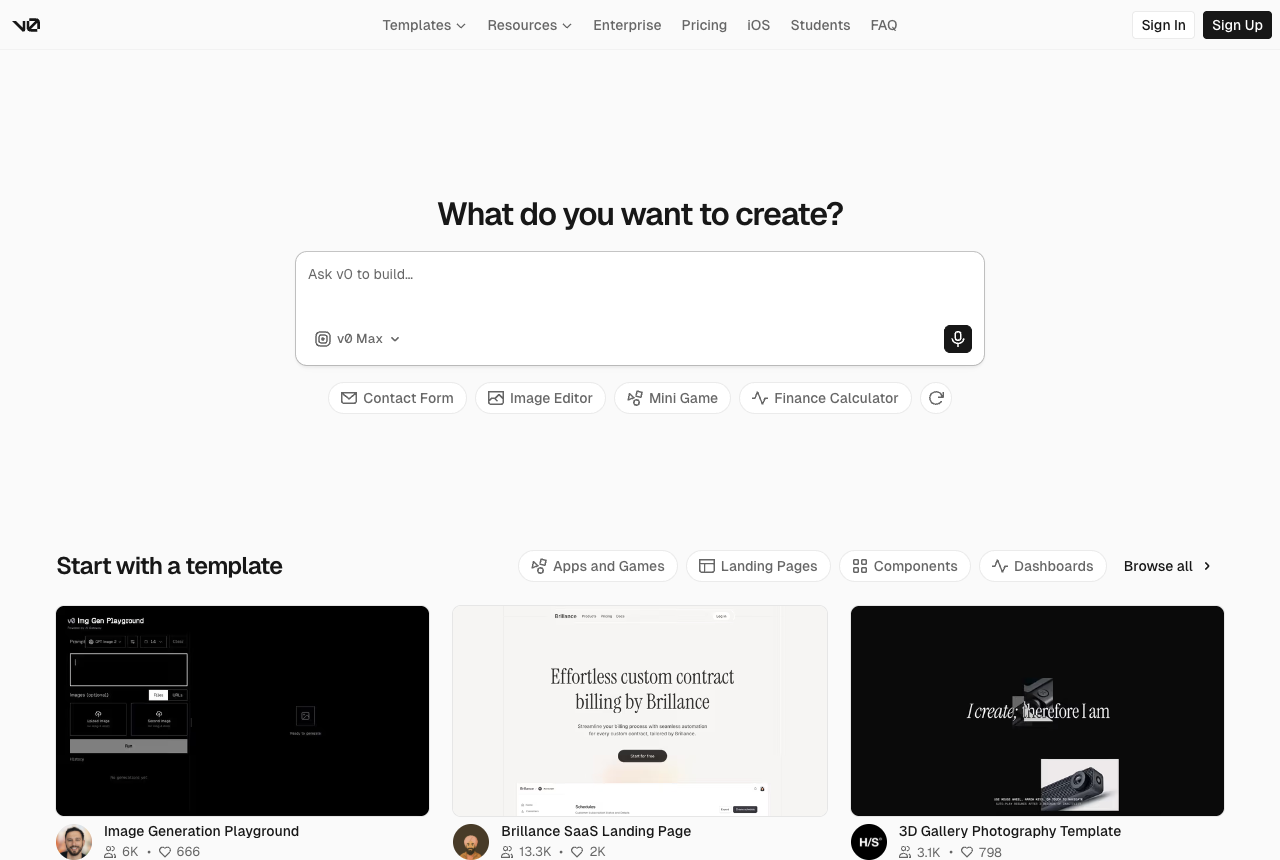
This is the framing every listicle gets wrong, so it is worth being blunt: most tools sold as "v0 alternatives" are full-stack app builders, and that is a different job. v0 itself is a frontend UI generator. Bolt and Lovable build the whole app (frontend, backend, database, deploy) from a prompt in the browser. If you left v0 because you wanted the app built for you, those are your tools. If you left v0 because you wanted the design and UI step back, cleanly handed to the coding agent you already use, an app builder overshoots and reintroduces the same metered-credit problem.
Think of it as two questions:
- "Build my whole app for me." Go to Bolt or Lovable. You trade IDE control and predictable cost for speed-to-running-app, and you accept that both run on usage-based credits.
- "Give me v0-quality UI that fits my existing project, as code, in my IDE." That is the design-layer question, and it is the one Superdesign is built for. It is not a new editor and not a new app builder. It is the design agent that plugs into Cursor or Claude Code, reads your repo, and hands the design back as code.
Naming the split is the whole point, because it is the difference between "I want to replace my workflow" and "I want one missing piece of it back."
How is Superdesign a v0 alternative without being another app builder?
Superdesign is an AI product design agent: you prompt it in plain English and it generates UI mockups, components, and full multi-page flows on an infinite canvas, then outputs real React, Tailwind, and CSS, not static mockups. What makes it a true v0 alternative for developers, rather than a sideways move to an app builder, is three things v0's architecture rules out.
It forks several directions at once instead of one linear thread. v0 is a single chat thread: you prompt, you wait, you tweak the same one output, and every throwaway attempt draws down your balance. Superdesign explores in parallel, like a tree search. You fork multiple design directions side by side on the canvas, each carrying your context forward, and it can generate whole multi-screen flows at once rather than one screen per prompt. Comparing real options next to each other is how you find the good one fast, and it is structurally the opposite of a one-thread-at-a-time browser tool.
It lives inside your IDE, not a browser tab. The developer-native path is the Superdesign skill: you invoke it from your coding agent (Claude Code, Cursor, or any agent) with the /superdesign slash command, so the design happens with full context of your codebase and comes back as code without you leaving the editor. v0 is browser-only with no awareness of your existing project, so it always starts from a blank, generic default. Superdesign instead learns your project first and builds new designs on what you already have. The deeper how-it-works (the superdesign/ folder and the design-system file it writes) lives in what is DESIGN.md, and the broader "reads your existing codebase" argument is covered in the best AI UI generator guide.
Install is once, then everything runs from the slash command and a plain-English request:
npm install -g @superdesign/cli@latest
superdesign login
npx skills add superdesigndev/superdesign-skill
From there the loop is: prompt, fork several variations at once on the canvas, refine the one you like, then hand it back to code. You select a page and hit "Copy design prompt" to paste full design context into your coding agent, or ask the agent to fetch the design and plan the implementation directly. There is a full walkthrough in the founder's skill tutorial.
It runs on flat pricing plus a free prompt library. Superdesign is a free tier plus a flat $20/month Pro plan, not metered credits, which is the direct counter to the loudest 2026 v0 complaint. On top of that, the free community prompt library is one of the largest around, covering styles, animations, and components, and it works with any coding agent. So you get proven starting points for free instead of paying per attempt to discover what good prompts look like.
To be fair about the limits: Superdesign is a design agent, not a full-stack app builder, so it will not stand up your backend, database, or auth the way Bolt or Lovable attempt to. And it has far less independent third-party review coverage than v0 does, it is a younger product. If your need is "build and deploy my whole app from one prompt," it is the wrong layer. If your need is "v0-quality UI that fits my codebase, as code, in my IDE, on flat pricing," it is the closest fit on this list. We go head to head with v0 specifically in v0 vs Superdesign.
What makes a good v0 alternative for a developer?
A good v0 alternative for a developer is judged on three things v0 used to nail and the 2026 model strained: codebase fit, real code you own, and predictable cost. Raw output quality matters, but on its own it is not enough once you are working in a real project.
- Codebase fit. Can the tool see the components, tokens, and conventions you already have, so the UI it generates matches your system instead of clashing with it? v0, Bolt, and Lovable all generate from scratch in the browser, unaware of your repo. An IDE-native agent like Superdesign, or a design-system-aware generator, is the only category that clears this bar.
- Real code you own. Does it emit production React and Tailwind that drops into your project, and can you export and own it? For code-first tools the output is a real starting point you build on, not a throwaway mockup or a Figma export you still have to re-implement.
- Predictable cost. Can you iterate ten times on one screen without watching a credit balance drain? This is the single biggest 2026 grievance against v0, and a flat plan is the cleanest answer to it.
When you test any tool here, run that exact stress test: iterate ten times on one screen and watch what happens to your bill. The answer tells you more than the pricing page does. Give every tool the same detailed brief so you are testing the tool and not your prompt. Our UI design prompts are grouped by screen type and already spell out the layout and the visual system, so you can paste the same one into each.
v0 alternatives compared: the honest table
Here is the full comparison across the criteria that matter to a developer, with the cost-and-quality reality of v0 reflected honestly rather than glossed over.
| Tool | Code output | IDE-native | Reads your codebase | Framework lock-in | Pricing model |
|---|---|---|---|---|---|
| Superdesign | React, HTML, Tailwind, CSS | Yes (Claude Code, Cursor, VS Code) | Yes | Low (you keep your stack) | Free + flat $20/mo Pro |
| v0 by Vercel | React, shadcn/ui | No, browser only | No | High (React, Next, Vercel) | Free + usage-based credits |
| Bolt | Full-stack (React) | No, browser only | No | Medium | Free + usage-based credits |
| Lovable | Full-stack (React) | No, browser only | No | Medium | Free + usage-based credits |
| Cursor | Any (it is an editor) | Yes | Yes (the repo) | None | Flat + usage tiers |
A note on each, fairly:
- v0 is still the consensus best at fast, clean React, Tailwind, and shadcn/ui UI, with GitHub sync, one-click deploy, and Figma import. Its honest cons in 2026 are cost predictability and a quality dip some users report after the v0 App transition, plus zero awareness of your existing codebase.
- Bolt is genuinely fast for greenfield full-stack prototypes in the browser, but the recurring complaint is token-burning debug loops, where it fails, "fixes," fails again, and drains credits, often on tougher steps like auth. See Bolt vs Superdesign.
- Lovable is a fast idea-to-working-app builder that is popular with non-engineers, but it is an app builder on usage-based credits, not a focused, codebase-aware design tool. See Lovable vs Superdesign.
- Cursor is an excellent AI-first code editor, but it has no dedicated design surface: no canvas, no variation compare. UI is a side effect there, not the point, which is exactly why the Superdesign skill plugs into it. See Cursor for design.
When should you stay on v0?
Stay on v0 if you live on the Vercel and Next.js stack, you are starting greenfield React UI, and one-click deploy plus GitHub sync are worth more to you than codebase awareness or flat pricing. v0 is still the most polished prompt-to-React experience for that specific workflow, and the free tier remains genuinely useful for low-volume generation. If your projects are small, your iteration count is low, and you are happy in the browser, the 2026 cost model may never bite you.
You should look elsewhere when you are adding UI to an existing codebase (v0 cannot see it), when you iterate heavily and the metered model makes you hesitate to explore, or when you want the design step to happen inside your IDE and hand back as code. That is the developer-shaped gap, and it is where a codebase-aware, IDE-native, flat-priced agent wins. Being honest about when v0 is still the right pick is the whole point: most "v0 alternative" lists self-rank #1 with zero nuance, and that is exactly the credibility they give up.
Which v0 alternative has flat pricing instead of credits?
Among the developer-focused options, Superdesign is the one with a flat plan: a free tier plus a flat $20/month Pro, rather than usage-based credits. v0, Bolt, and Lovable all run on metered credit models where each generation, including the failed ones, draws down a balance, which is the source of the surprise-bill complaints in the Vercel community threads. For a workflow that is inherently iterative, a flat plan removes the per-attempt math entirely, and pairing it with the free prompt library means you do not pay to discover good prompts either. The general credit-burn pricing argument across the whole category is laid out in the best AI UI generator guide.
Frequently asked questions
For deeper reading, see our comparisons hub, the best AI UI generator for developers guide, and our 2026 AI design stack. If you are evaluating across categories, v0 vs Lovable and the Figma alternative guide are useful next stops. Weighing Google's free mockup tool too? The Google Stitch alternative breakdown covers where its HTML/CSS output leaves developers stuck.
The bottom line: v0 still makes clean React, and there are days it is the right tool. But if the 2026 credit and agent changes pushed you out, the developer answer is not a new app builder. It is a design agent that reads your codebase, runs in your IDE, ships real code, and charges a flat fee. That is the gap Superdesign was built to fill. Ping me if you want help wiring the skill into your agent, happy to help you get it running. 🙂