Short version: v0 and Superdesign both turn a prompt into React and Tailwind, but the thing that actually separates them is how you explore ideas. v0 generates one component thread at a time, sequentially, in a browser chat. Superdesign forks several design directions at once and fans out whole multi-screen flows in parallel on an infinite canvas, so you compare directions side by side instead of regenerating one thread over and over. Two more splits follow from that: where the work happens (v0 lives at v0.app; Superdesign installs as a one-line skill inside Claude Code or Cursor with npx skills add superdesigndev/superdesign-skill, so design happens where you already code), and how you pay (v0 moved to usage-based credits that burn unpredictably; Superdesign has a free tier plus a flat $20/mo Pro plan).
This is a fair head-to-head, not a hit piece. Every v0 criticism below is linked to a dated, public source, and there is a genuine "pick v0 if..." section near the end.

Why does parallel exploration beat v0's one-thread-at-a-time loop?
Because design is a search problem, and v0 only lets you search one path at a time. In v0 you prompt, wait, judge the single result, then re-prompt to nudge it, a linear chat thread where every idea overwrites the last. Superdesign runs the opposite model: fork several design directions at once and generate whole multi-screen flows in parallel on an infinite canvas, then keep the branch you like. You are comparing four real directions side by side instead of imagining what the other three would have looked like. That "tree search" approach is the core reason teams reach for it over a sequential generator.
It also lives where you already work. v0 is a separate browser app you tab into; Superdesign installs as a one-line skill inside your coding agent (npx skills add superdesigndev/superdesign-skill), reproduces your current UI, then generates variations on a canvas you drive straight from Claude Code or Cursor. No copy-paste round trip between a browser tab and your repo.
What is the real difference between v0 and Superdesign?
The real difference is the iteration model: v0 explores sequentially in a browser chat, Superdesign explores in parallel on a canvas inside your IDE. v0 generates one React component per thread and you copy-paste it into your editor. Superdesign forks multiple directions at once, designs whole multi-page flows, and hands code back in place from your coding agent. Both output React and Tailwind, so the output format is not the deciding factor. The workflow architecture is.
One downstream consequence is context: because Superdesign reads your existing codebase and design system before it designs, while v0 builds against a blank slate, the code tends to match your stack. That "reads your repo" argument applies to every browser-only generator, so we cover it in depth in the best AI UI generator roundup rather than re-running it here.
Where does each tool actually run, and does it know my code?
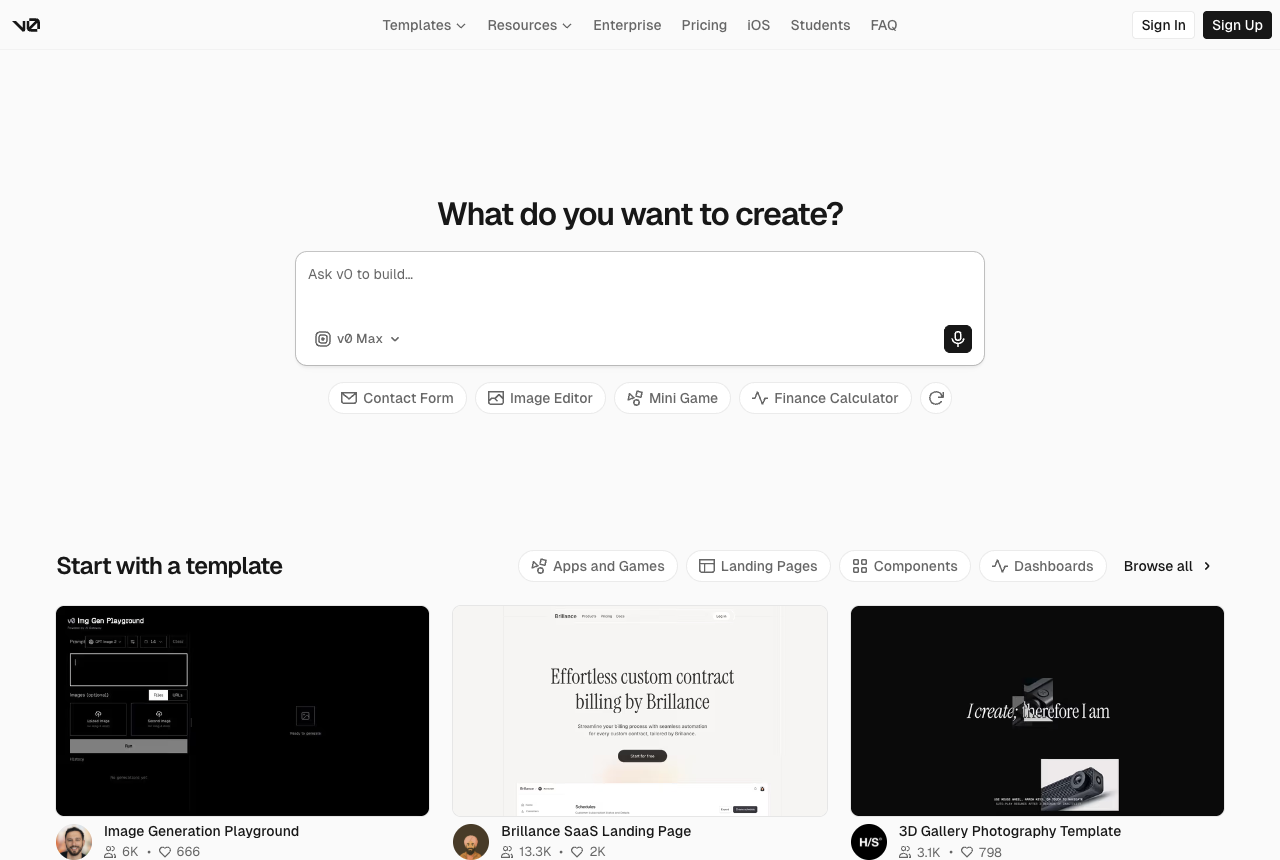
v0 runs in the browser and does not know your code; Superdesign runs in your IDE and reads it. This is the structural divide. With v0 you open v0.app, describe a component, and get TypeScript React back in a chat interface. You can feed it prompts, screenshots, and some Figma context as input, but it builds against a blank slate, not your repo. The generated code lands in v0's workspace, and getting it into your project is a copy-paste (or a GitHub/Vercel push) you do yourself.
Superdesign takes the opposite approach. You install it once as a skill (npx skills add superdesigndev/superdesign-skill), then invoke /superdesign from your coding agent with a plain request like "redesign the homepage and add a book-a-demo section." On an existing project it investigates your current UI first and writes a superdesign/ folder with a design-system file plus HTML replicas of your real pages, so the design it produces matches your stack and conventions instead of inventing a generic one. When you are happy, you select a page and either copy the full design prompt into your agent or let the agent fetch the design and plan the implementation. Design and build stay in one place. If this codebase-aware, IDE-native pattern is the part you care about, the deeper write-up is in why an IDE-native design agent beats a browser tab.
Can I use each tool inside Cursor, VS Code, or Claude Code?
Superdesign runs inside your coding agent; v0 is browser-first with import paths back into your editor. Superdesign is agent-agnostic: the skill plugs into Claude Code, Cursor, or any coding agent, so the design step happens in the same place you write code. There is no separate app to context-switch into.
v0 is the other way around. The primary surface is v0.app in the browser, and the IDE story is about getting v0's output back to you: a one-click deploy to Vercel, a GitHub PR workflow, or a copy-paste of the generated component. That is a clean path if you live on Vercel, but it is an export step, not an in-IDE design loop, and v0 still does not see the rest of your codebase while it generates.
How does v0's credit pricing work, and is it really pricier than a flat plan?
v0 charges usage-based credits, so a heavy day can cost far more than the sticker price, while Superdesign is a flat $20/mo Pro plan plus a free tier. v0's plans (Free with a small monthly credit allowance, Team at $30/user/mo of included credits, Business, Enterprise) all meter against token usage, so the true cost is unknowable until a generation runs. The metered-credit-burn pattern is not unique to v0, we unpack the general "credit-burn pricing" argument in the best AI UI generator roundup. What is specific to v0 is how reviewers and users describe it in dated, public threads.
The community complaints are specific and dated, and "surprise expenses" is named as a failure mode by reviewers because cost varies with input, model choice, attachments, and project size (aipedia review, May 2026). After v0 switched to usage-based token billing, one user reported the price was "effectively multiplied by ten overnight," that they "spent $20 in a single day for a fraction of the output," and that fixing a single syntax error cost them roughly $5 because it required the premium model (Vercel Community, 2025-06-06). Another spent $30 in one day on a couple of category pages under the new model, with per-iteration cost rising from around $0.08 to $0.12 up to $0.15 to $0.30, and about 20% of iterations needing correction for broken functionality (Vercel Community, Aug 2025). A reviewer also notes v0 bills separately on top of Vercel hosting, so you can feel "nickel-and-dimed by the separate billing" (tryorbye, Feb 2026).
Superdesign keeps it predictable: a free tier to start and a flat $20/mo Pro plan, so a heavy design day costs the same as a light one. Here is the model contrast at a glance.
| Pricing axis | v0 | Superdesign |
|---|---|---|
| Model | Usage-based credits (token metered) | Flat subscription + free tier |
| Entry plan | Free with small monthly credit cap | Free tier |
| Paid plan | Team $30/user/mo of credits | Pro $20/mo flat |
| Cost predictability | Varies per generation (input, model, attachments) | Same every month |
| Separate hosting bill | Yes, v0 credits are on top of Vercel | No, design layer only |
Has v0's quality actually gotten worse?
Multiple dated Vercel Community threads report a perceived quality regression after the move to token pricing, though this is user sentiment, not a Vercel-published metric. v0 was widely considered best-in-class for Next.js and shadcn/ui output through mid-2025. After the pricing change, users started describing output as "stacked blocks with placeholder text and colored backgrounds" that "look like basic UI kits," with one user reporting they "burned through $40 in a single day and got nothing but garbage" and saw the model take "10 iterations to (still unsuccessfully) change button text color to white" (Vercel Community, Aug to Sep 2025).
The thread continued into 2026. After v0's April 8 update, a Pro user reported "the site quality became really bad... looks like I'm using v0-mini and not v0-pro," with generation time dropping noticeably, which they attributed to a reduced token limit per request; a moderator acknowledged it without a fix timeline (Vercel Community, 2026-04-08). Separately, users reported that site-wide edits caused "partial or complete deletion of the existing codebase without warning," with simple changes deleting whole sections (Vercel Community, 2025-06-06). Treat these as a real, recurring sentiment signal worth knowing before you commit a workflow to v0, not as a verdict on every session.
Whichever tool you land on, a vague prompt is the fastest way to get that "basic UI kit" look. Our UI design prompts name the sections, components and visual system up front, so the first generation has much less to guess.
Which tool is better for full pages vs single components?
v0 is strongest at component-level generation in a single thread; Superdesign is built for full-page flows and parallel exploration. Ask v0 for a pricing table, a nav, or a settings form and it does a clean, fast job inside the React and shadcn ecosystem. Push toward a whole multi-screen product and you are stitching together separate generations, and you only see one direction at a time because the model runs sequentially.
Superdesign is designed around the opposite need. It designs whole multi-page flows, the output is functional and clickable rather than a static mockup, and it explores several variations at once on an infinite canvas (the skill tutorial shows four banner variations side by side). You compare directions visually, then keep prompting to refine the one you like. If wireframing or mapping a multi-screen flow is your starting point, see the AI wireframe generator guide. And if the full page you need is a landing page, the v0 default for a lot of developers, the AI landing page generator runs that exact comparison: one prompt, parallel design directions, React and Tailwind out. Here is the structural comparison.
| Axis | v0 | Superdesign |
|---|---|---|
| Where it runs | Browser (v0.app) | Inside your IDE / coding agent |
| Codebase awareness | None (blank slate) | Reads your repo + design system |
| Framework | React / Next / shadcn only | React, Tailwind, CSS |
| Scope | Single components, one thread | Full multi-page flows |
| Exploration | Sequential, one at a time | Parallel variants on a canvas |
| Code handoff | Copy-paste or Vercel/GitHub | In place, via your agent |
| Pricing | Usage-based credits | Flat $20/mo + free |
Is the code from v0 and Superdesign production-ready?
Both produce real React and Tailwind, but both still need a review pass before shipping. v0 generates genuine TypeScript components, not just mockups, and for standard Next.js patterns the output is strong. Reviewers still caution that v0's output needs checking for accessibility, security, and validation before production (aipedia, May 2026), and the deletion and regression reports above mean you should keep v0 changes in version control.
Superdesign outputs real code too (React, Tailwind, CSS), and its edge is context: because it reads your existing design system first, the code it hands back is more likely to match your conventions instead of dropping a generic shadcn block into a non-shadcn app. Either way, treat the generated code as a strong first draft you review, not a finished commit. For the broader landscape, the best AI UI generator roundup covers how these tools stack up across the board.
When should you just use v0 instead?
Pick v0 if you are all-in on Vercel and Next.js, you want the best-in-class shadcn component output, and you are fine with a browser-first, copy-paste loop. Specifically, v0 is the better call when:
- Your stack is React, Next.js, Tailwind, and shadcn/ui, and you have no plans to leave it.
- You want one-click deploy to Vercel and a GitHub PR workflow as your delivery path.
- You mostly need individual components (forms, tables, nav, cards) fast, not whole product flows.
- You are comfortable with usage-based credits and want to start from a generous free tier.
If that is you, v0 is a great tool and you do not need an alternative. It earned its reputation for a reason.
When should you pick Superdesign?
Pick Superdesign if you want a design step that lives in your IDE, reads your existing codebase, and bills at a flat price. It is the better fit when:
- You want the design agent to see your real repo and design system, not build on a blank slate.
- You work in Cursor, VS Code, or Claude Code and would rather not context-switch into a separate browser app.
- You are designing full multi-page flows and want to compare several variations in parallel on a canvas.
- You want predictable pricing (flat $20/mo plus a free tier) instead of metered credit burn.
Superdesign is built for the vibe design workflow: describe what you want, let the agent design with full context of your code, iterate visually on the canvas, then hand the result back as code in your IDE. You can also try it directly on the web, and browse the prompt library for ready-made starting points.
The bottom line
v0 and Superdesign both ship React and Tailwind, so the choice is not about output format. It is about where the work happens and what the tool can see. v0 is the browser-first, Vercel-native component generator: fast, strong on shadcn, but blind to your codebase and metered by credits that several users report burning faster than expected. Superdesign is the IDE-native, codebase-aware design agent: it reads your repo, explores full-page variants in parallel on a canvas, hands code back in place, and bills at a flat $20/mo.
If you live on Vercel and want quick shadcn components, v0 fits. If you want a design step inside your IDE that knows your code and costs the same every month, try Superdesign. For more head-to-heads, see Lovable vs Superdesign, Bolt vs Superdesign, or the full comparison hub.