An AI wireframe generator turns a text prompt into a low-fidelity, grey-box layout in seconds, then lets you export it to Figma or refine it by hand. That is genuinely useful if you are a designer or you need a quick sketch to align a stakeholder. But here is the honest take for developers: a single grey-box wireframe answers half the question. You still have to pick the right direction, and then translate the picture into React and Tailwind by hand.
Superdesign's take on this is Flash Wireframe: instead of one layout, it visualizes around ten wireframe ideas in seconds on a cheap fast model (Gemini 3 Flash), so you can see breadth, pick the one or two you like, and then spend the expensive model only implementing those into real code. Cheap to explore, then straight to production, with no throwaway artifact in between. This guide gives you the straight definition, a fair look at the popular wireframe tools, and the case for generating wireframes the cheap-breadth-then-real-code way.

What is an AI wireframe generator?
An AI wireframe generator is a tool that converts a natural-language prompt (or a sketch, screenshot, or URL) into an editable, usually low-fidelity UI layout: boxes for content, placeholder text, and a rough structure you can rearrange. Popular ones include Visily, Uizard, Banani, and UX Pilot. The deliverable is a design artifact: a wireframe or mockup you then hand off, export to Figma, or build from.
That deliverable is the whole point for a designer. For a developer it is an intermediate step you did not ask for. You wanted to know "what should this screen look like, and how do I get it into my app?" and the wireframe answers only the first half.
What if you could see ten wireframe ideas at once, then build only the best?
That is the bet behind Superdesign's Flash Wireframe. Most generators give you one layout per prompt, so exploring options means re-rolling and waiting (and, on metered tools, paying) each time. Flash Wireframe flips it: it visualizes around ten wireframe directions in seconds on a cheap, fast model (Gemini 3 Flash), lays them out side by side on the canvas, and lets you pick the one or two that actually fit. Only then does it spend the expensive model to implement the picked direction into real React and Tailwind.
The point is cheap breadth, then expensive depth. You are not paying premium tokens to draw nine ideas you will throw away. You see the whole option space first, kill the dead ends visually, and reserve the heavy lifting for the layout you committed to. For a developer that is the missing half of "wireframe to code": the wireframe is not a separate deliverable you hand off, it is the cheap thinking pass that feeds straight into the build.
Do developers still need wireframes if AI can generate the UI?
Honestly, sometimes yes. If you need a five-minute lo-fi sketch to align a non-technical stakeholder or a designer before anyone writes code, a dedicated wireframe tool is the fastest way to get there. Grey boxes are a feature when the goal is "let's agree on the shape before we invest."
But if you are building it yourself, the wireframe is overhead. The traditional pipeline (wireframe, then high-fidelity design in Figma, then handoff, then implementation) exists because design and engineering were separate roles with a handoff in the middle. When one person does both, that handoff artifact has no recipient. You do not need a picture of the UI to hand to yourself. You need the UI.
The design world is already moving this way. In a widely shared 2025 essay, designer Chirag Khushalani described why his team dropped lo-fi wireframes: grey-box mockups "get stuck" and "stakeholders couldn't feel anything," so they switched to AI-generated interactive prototypes where "in ten minutes, we had ten different takes" (Bootcamp, Medium). That shift is toward fidelity and interactivity. For a developer, the natural next step past an interactive prototype is the code itself.
Can an AI wireframe generator produce real code, or just a mockup?
Mostly just a mockup. Almost every wireframe tool outputs an editable design file or, at best, rough HTML you still have to wire into your project. A few advertise "production-ready HTML for developer handoff," but they rarely show what that means in practice: how it is styled, whether it is responsive, and crucially whether it fits the codebase you already have.
This is the gap worth naming. There are three different categories hiding behind "AI wireframe generator," and they produce three different things:
| Category | Output | Who it's for | Examples |
|---|---|---|---|
| Wireframe tools | Editable lo-fi/hi-fi mockup (design file) | Designers, non-designers | Visily, Uizard, Banani |
| Prototype builders | Clickable, interactive prototype | Designers, stakeholder review | Figma Make |
| Code agents | Real React / Tailwind in your project | Developers shipping UI | Superdesign |
If your output is a Figma frame, you are still translating it to code by hand. If your output is React and Tailwind that drops into your repo, you skipped the translation entirely. For a developer, only the third category answers the question you actually have.
Can an AI wireframe generator match my existing codebase or design system?
Almost none of them can, and this is the quiet limitation nobody advertises. Standard wireframe tools generate net-new screens in a vacuum. They do not know your color tokens, your spacing scale, your existing Button and Card components, or the conventions in your repo. So even a beautiful generated layout arrives as a stranger to your codebase, and you spend the saved time re-skinning it to match.
Superdesign approaches this from the opposite direction. It is an AI design agent you run as a skill inside your coding agent (Claude Code, Cursor, or any agent), and when you invoke it on an existing project it first reads your current UI and builds a design-system file plus HTML replicas of your real pages. So the ten Flash Wireframe ideas it shows you are not generic screens floating in a vacuum, they already speak your color tokens, spacing, and existing components. The full case for why codebase awareness beats blank-slate generation lives on the best AI UI generator; for how that design-system file works as context, see What is DESIGN.md?.
How does prompt to wireframe to code actually work when you skip the wireframe?
You describe the UI in plain English and get React and Tailwind back, with no grey-box middle step. There is no canvas to drag, no layer to name, no Figma export to re-implement. Here is the flow with the Superdesign skill in a coding agent:
- It learns your project first. On an existing codebase, the agent reads your current UI and writes a design-system file plus HTML replicas of your real pages into a
superdesign/folder. On a new project, it clarifies requirements and generates a style guide instead. - It explores variations on a canvas. Superdesign opens its infinite canvas in the browser and generates several design variations at once (the tutorial shows four banner variations side by side), and you keep prompting to refine.
- It designs whole flows, and they are functional. Output is clickable multi-page flows, not a static picture. Because directions fork in parallel rather than one linear thread at a time, you can carry a couple of promising wireframe ideas forward into full multi-screen flows and compare them, instead of committing to one too early. (Want this prompt-to-clickable-prototype step without installing the skill? The browser AI prototype generator does the same job.)
- It hands back to code cleanly. Select a page, copy the full design prompt into your coding agent, or have the agent fetch the design and plan the implementation. Design and build stay in one place.
The honest framing: this is not a wireframe generator. It skips the wireframe. The artifact you end with is the implementation, not a representation of it. If you are a developer or an indie hacker who is both the designer and the engineer, that removes the step that was only ever there for a handoff that no longer exists.
For a wider comparison of code-output tools, see the best AI UI generator and V0 vs Superdesign.
How do Figma Make and Uizard credits work, and why do people complain?
Both are metered, and credit anxiety is the most common complaint in their user sentiment. The pattern bites hardest exactly when you want to explore wireframe options: you burn credits to generate, then burn more to re-roll the AI's mistakes, so seeing ten directions costs ten times over. (The general case against credit-burn pricing lives on the best AI UI generator; below is what reviewers say about these two specifically.)
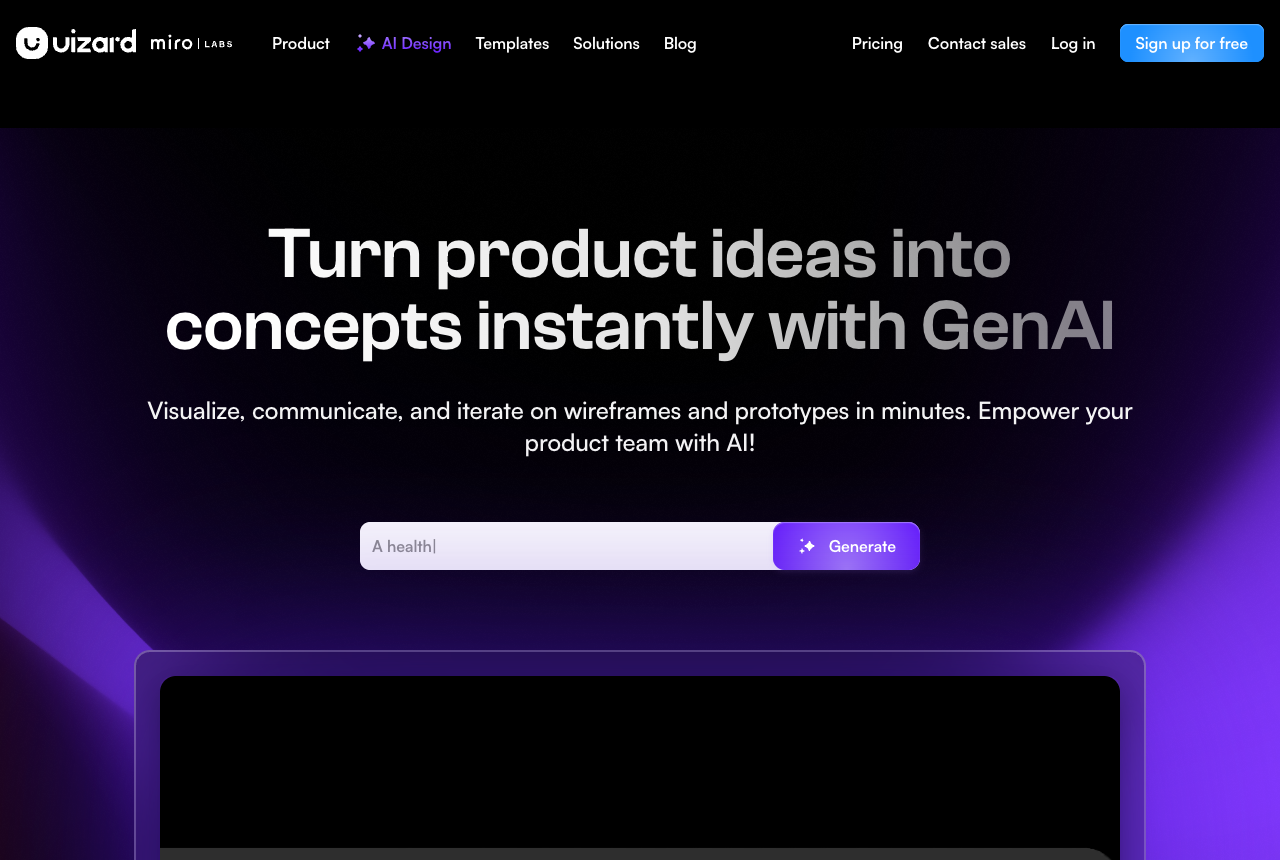
Uizard is a genuinely fast way to spin up rough UI from a prompt, sketch, or screenshot, and it is friendly for non-designers with a simple drag-and-drop editor and Figma export. The honest cons, from reviewers:
- Output skews generic and template-bound: reviewers note the AI tends toward samey, cookie-cutter layouts that need a manual design pass to feel distinctive (UX Pilot).
- On full pages the Autodesigner output "isn't close to usable (yet)," and only improves when restricted to a single screen with very specific instructions (Looppanel, 2024).
- Its code export is explicitly "a starting point, not a finished product. You'll likely need to tweak it" (Looppanel, 2024), so it is not a path to production code.
- It can drop instructions on complex prompts, which "requires extra AI generations to fix, which translates to wasted AI credits" (UX Pilot).
Figma Make is promising because it lives natively inside Figma and turns prompts into interactive layouts. But as of 2025 to 2026 it is still early, and the credit burn is the headline complaint:
- The default allowance runs out fast on iterative work. Designers on Figma's own forum report that the base 3,000 credits per month, roughly 50 to 70 prompts, isn't viable for the generate-refine-test loop that real product design needs (Figma Forum).
- A LogRocket review called it "buggy, clunky, and limited to basic use cases" and still "in its early days," and noted it alters design intent without asking: told to fix a radio button, it "changed it to a select menu" instead (LogRocket).
This is exactly the friction Flash Wireframe is built to dodge. Instead of paying premium per re-roll, the breadth pass runs on a cheap fast model, so generating ten ideas is the affordable part and you only spend the expensive model on the direction you keep. Superdesign's plan is flat too (a $20/mo Pro plus a free tier), so exploring does not come with a meter ticking in the background.
AI wireframe tool comparison for developers
Here is the comparison the listicles skip, on the axis that actually matters to a developer: what comes out, and whether it knows your codebase.
| Tool | Output type | Codebase aware | IDE-native | Pricing model |
|---|---|---|---|---|
| Superdesign | Production code (React, Tailwind) | Yes (reads your repo + design-system file) | Yes (skill in Claude Code / Cursor) | Flat $20/mo + free tier |
| Uizard | Wireframe/mockup + rough code export | No | No (browser) | Metered credits |
| Figma Make | Interactive prototype | Partial (within Figma) | Via MCP export | Metered credits (on a Figma plan) |
| Visily | Wireframe/mockup (design file) | No | No (browser) | Free tier + paid |
The takeaway is not "Superdesign wins everything." It is that these tools answer different questions. If you need a design file for review, a wireframe tool is right. If you need shippable UI in your editor, a code agent is right. Pick by output type, not by which one ranks itself first.
Can ChatGPT or Claude draw a wireframe?
Not visually, not as an editable wireframe. ChatGPT and Claude can describe a layout in text, write the HTML or React for one, or reason about structure, but they do not render an interactive, editable wireframe canvas you can drag around. That is exactly why dedicated wireframe tools and code-output design agents exist: to turn the model's intent into either a manipulable design surface or real code in your project. If you are already working in a coding agent, the most direct path is to skip the wireframe rendering entirely and have a design agent like Superdesign produce the code. And if ChatGPT is where you work, there is now a plugin route: a ChatGPT design plugin can return rendered, editable screens inside the chat instead of a text description of one.
When should you actually use a traditional wireframe tool?
Use a traditional AI wireframe generator when the deliverable, not the code, is the point. A few honest scenarios where they are the right call:
- Stakeholder alignment. You need to show a non-technical person what a screen will look like and discuss it, without running an app or reading code. A lo-fi wireframe is faster to produce and easier to talk over.
- Early design exploration with a designer. Your team has a dedicated designer who owns visual decisions before engineering starts. Visily, Uizard, or Figma Make fit that discovery phase.
- Non-designers who need a design file. If you are not a developer and you want an editable artifact to refine or export to Figma, a designer-first tool is built for exactly that. Visily even brands itself "the best wireframing tool for non-designers."
Use a code agent like Superdesign when you are the one building it and the output you need is production UI in your codebase. The deciding question is simple: what is your output format? A design file, or shippable code?
If you are weighing the broader landscape, the best AI design tool and the 2026 AI design stack lay out where each tool fits, and what is vibe design covers the prompt-to-code design shift. If you are comparing Google's free wireframe-and-mockup tool specifically, see our Google Stitch alternative breakdown.
How do you get started skipping the wireframe?
If you already work in Claude Code, Cursor, or another coding agent, adding the Superdesign skill takes a few minutes:
- Install the CLI and the skill:
npm install -g @superdesign/cli@latest superdesign login npx skills add superdesigndev/superdesign-skill - During
skills add, choose which agents to add it to and whether the scope is project-level or global. - In your agent, run the
/superdesignslash command with a plain-English request, for example "redesign the settings page and add a notifications section." - Let it learn your project, explore variations on the canvas, then copy the design prompt back into your agent to implement.
You can also prompt directly on the web app if you would rather work in the browser. For a walkthrough of the skill, here is the tutorial:
Two more places to start: browse the prompt library for prompts that produce good UI on the first try, and if you came here comparing tools, see Cursor for design for how a coding agent and a design agent work together.
The wireframe is the wrong deliverable for a developer
For a developer, the wireframe was always a means to an end, and the end is code that ships. AI did not just make wireframes faster, it made the wireframe step skippable for anyone who is both the designer and the engineer. The tools that win developer workflows will not be design tools with a code-export feature bolted on. They will be developer tools with design intelligence built in, where you describe the UI and get something that belongs in your repo, not a screenshot you still have to translate.
If a lo-fi sketch to align a stakeholder is what you genuinely need, grab a wireframe tool and move on. But if you are building it yourself, skip the wireframe and go straight to the code. Ping me anytime if you want help wiring the skill into your setup, and we'll sort it together. 🙂